Creating a cozy and productive home workspace is essential for anyone working remotely or spending significant time at home. A well-designed workspace not only improves focus and efficiency but also enhances comfort and well-being. Whether you have a dedicated room or a small corner, you can make it a place where you look forward to working every day. Here are some practical tips to help you set up a home workspace that balances coziness with productivity.
Choose the Right Location
The foundation of a good workspace starts with location.
Consider Natural Light
Whenever possible, set up your workspace near a window. Natural light helps reduce eye strain, boosts mood, and keeps you energized throughout the day.
Minimize Distractions
Pick a spot that is quiet and away from high-traffic areas in your home. This will help you stay focused and reduce interruptions during important tasks.
Space and Privacy
Even a small nook can work if it offers a sense of privacy. If you share your space with family or roommates, consider using room dividers or curtains to create boundaries.
Invest in Comfortable Furniture
Comfortable, ergonomic furniture supports longer periods of productive work without discomfort.
Desk and Chair
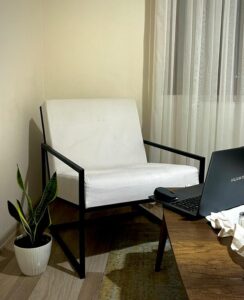
Choose a desk with enough space for your computer, notebooks, and other essentials. Your chair should provide good back support and ideally be height-adjustable.
Ergonomics Matter
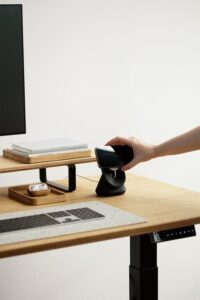
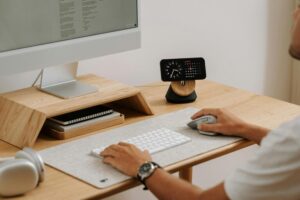
Keep your monitor at eye level to prevent neck strain. Use keyboard and mouse setups that keep your wrists straight and relaxed.
Personalize Without Cluttering
Your workspace should reflect your personality but remain clutter-free to help maintain focus.
Add Personal Touches
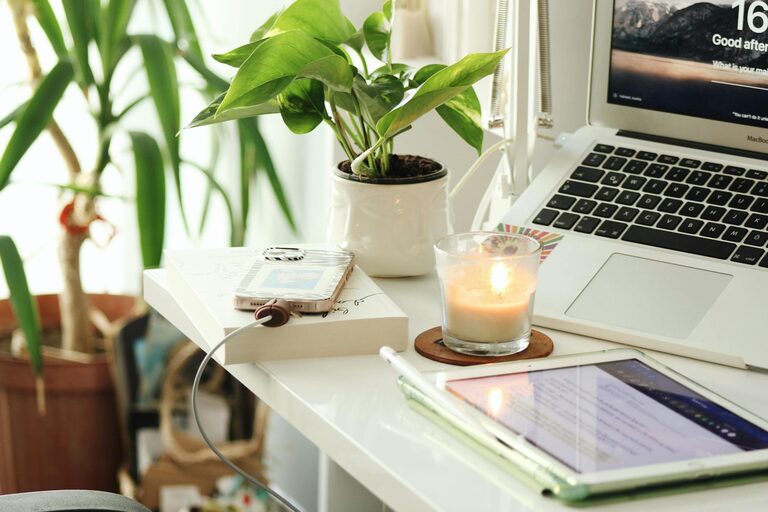
Photos, plants, or artwork can make your workspace feel welcoming and motivate you during the day.
Keep It Organized
Use organizers, shelves, or drawers to keep supplies tidy. A clean desk helps clear your mind and improve concentration.
Optimize Lighting
Proper lighting is key to both comfort and productivity.
Layer Your Lighting
Combine natural light with task lighting like desk lamps. Adjustable lamps allow you to direct light exactly where you need it.
Avoid Glare
Position screens so they don’t reflect bright light from windows or lamps. Use curtains or blinds to control sunlight when necessary.
Use Technology Wisely
Technology can streamline your workflow when set up thoughtfully.
Reliable Internet
A strong, stable internet connection is vital for video calls, cloud work, and research.
Essential Accessories
Consider using a good headset, webcam, and external keyboard or mouse to increase comfort and quality during virtual meetings.
Cable Management
Keep cords organized with clips or cable sleeves to avoid tangled wires, which can be distracting and unsafe.
Create a Routine and Zones
Structure your environment to support different work tasks.
Define Zones
If your space allows, create separate zones for computer work, reading, or brainstorming. Changing your posture and environment throughout the day can help maintain focus.
Include Break Areas
Even a small space for stretching or a quick walk can refresh your mind and body, contributing to sustained productivity.
Keep Comfort in Mind
Feeling comfortable physically and mentally makes a big difference.
Temperature
Make sure the room temperature suits your preference. Use fans, heaters, or open windows to stay comfortable.
Aromatherapy
Lightly scented candles or diffusers with essential oils can create a pleasant atmosphere, but keep scents subtle to avoid distractions.
Sound
Consider soft background music or white noise machines to help drown out distracting noises, but choose what works best for your concentration.
Maintain a Healthy Work-Life Balance
Your home workspace should support healthy habits.
Set Boundaries
When your workday ends, close your workspace or put away work materials to signal that it’s time to disconnect.
Take Breaks
Use timers or apps to remind yourself to stand, stretch, or take short breaks regularly for better focus and health.
—
Final Thoughts
Designing a cozy and productive home workspace doesn’t require a large budget or space. By thoughtfully choosing your location, furnishing comfortably, managing lighting, organizing technology, and personalizing your area, you can create a welcoming environment that helps you work efficiently and enjoy your time at home. Remember, adjusting your setup as your needs evolve will keep your workspace both cozy and functional over time.