
Creating a productive home workspace is essential for anyone working or studying from home. A well-designed workspace can improve focus, reduce stress, and increase efficiency. Whether you have a dedicated room or a small corner, there are many ways to tailor your environment to suit your needs. In this post, we’ll explore practical tips to help you create a productive home workspace that supports your best work habits.
Choose the Right Location
Selecting the ideal spot in your home is the first step to creating a productive workspace.
– Find a Quiet Area: Look for a place with minimal distractions, away from household noise or high-traffic areas.
– Natural Light Matters: Set up near a window if possible. Natural light helps reduce eye strain and lifts your mood.
– Consider Privacy: If possible, choose a spot where you won’t be interrupted during work hours.
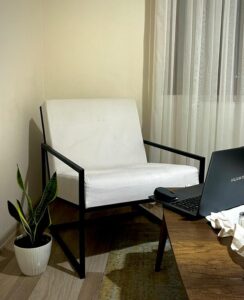
If a dedicated room isn’t available, even a small nook or corner can be transformed into an efficient workspace.
Invest in Comfortable and Functional Furniture
Your furniture plays a big role in your comfort and productivity.
– Choose an Ergonomic Chair: Sitting for long periods requires good back support and adjustable features to maintain proper posture.
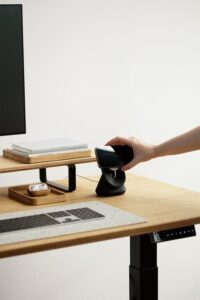
– Use a Spacious Desk: A desk with enough surface area to accommodate your computer, paperwork, and other tools helps keep everything organized.
– Adjust Your Screen: Position your monitor at eye level to prevent neck strain.
Remember, comfort reduces fatigue, allowing you to focus better throughout the day.
Keep Your Workspace Organized
Clutter can distract and increase stress, so keeping your workspace tidy is key.
– Utilize Storage Solutions: Use shelves, drawers, or bins to keep supplies and documents neatly stored.
– Daily Clean-Up: Spend a few minutes at the end of each workday clearing your desk.
– Limit Personal Items: While personal touches make your workspace inviting, too many can become distractions.
An organized space encourages a clear mind and improves efficiency.
Optimize Lighting and Reduce Eye Strain
Good lighting is crucial for maintaining focus and comfort.
– Use Task Lighting: A desk lamp helps illuminate your work area without relying only on overhead lights.
– Adjust Screen Brightness: Match your screen’s brightness to the room’s lighting to avoid glare.
– Take Regular Breaks: Follow the 20-20-20 rule—every 20 minutes, look at something 20 feet away for 20 seconds to rest your eyes.
Implementing these habits helps you avoid headaches and eye fatigue.
Establish a Work Routine
A consistent routine helps train your brain to switch into work mode.
– Set Regular Hours: Define when your workday starts and ends to maintain balance.
– Designate Break Times: Short breaks improve focus and prevent burnout.
– Create a Start Ritual: Simple actions like making a coffee or reviewing your to-do list can signal the start of your workday.
Maintaining a routine supports productivity and work-life harmony.
Minimize Distractions
Reducing interruptions helps maintain your flow and focus.
– Turn Off Notifications: Silence emails and phone alerts during focused work periods.
– Inform Household Members: Let others know your work schedule to minimize unexpected interruptions.
– Use Noise-Cancelling Headphones: If background noise is unavoidable, headphones can help create a quiet environment.
These steps help you concentrate and get more done.
Personalize Your Workspace Thoughtfully
Adding personal touches can boost motivation while keeping productivity in mind.
– Add Plants: Indoor plants improve air quality and create a calm atmosphere.
– Display Inspirational Items: Photos or quotes that motivate you can enhance focus.
– Choose Soothing Colors: Soft, neutral colors promote calmness, while brighter accents can stimulate creativity.
Balance personalization so your workspace feels inviting but remains focused.
Utilize Technology Wisely
Leverage tools and apps to enhance your workflow.
– Organize Tasks Digitally: Use productivity apps or calendars to track deadlines and priorities.
– Optimize Internet Connection: A stable and fast connection reduces frustration during online meetings or research.
– Manage Cables: Cable organizers prevent clutter and hazards.
Choosing the right tech tools helps streamline your day and reduces distractions.
Maintain Healthy Habits in Your Workspace
Your health is closely connected to your work environment.
– Stay Hydrated: Keep water nearby to stay refreshed.
– Incorporate Movement: Stand up, stretch, or take short walks regularly.
– Ensure Good Air Quality: Ventilate your space to keep fresh air circulating.
Healthy habits keep your energy levels up and promote lasting productivity.
—
Creating a productive home workspace is an investment in your well-being and work success. By thoughtfully choosing your location, organizing your space, and setting a daily routine, you can design an environment that supports focus and creativity. Remember that your workspace should evolve with your needs—feel free to adjust your setup as you discover what works best for you. With these tips, you’ll be well on your way to a more productive and enjoyable work-from-home experience.